
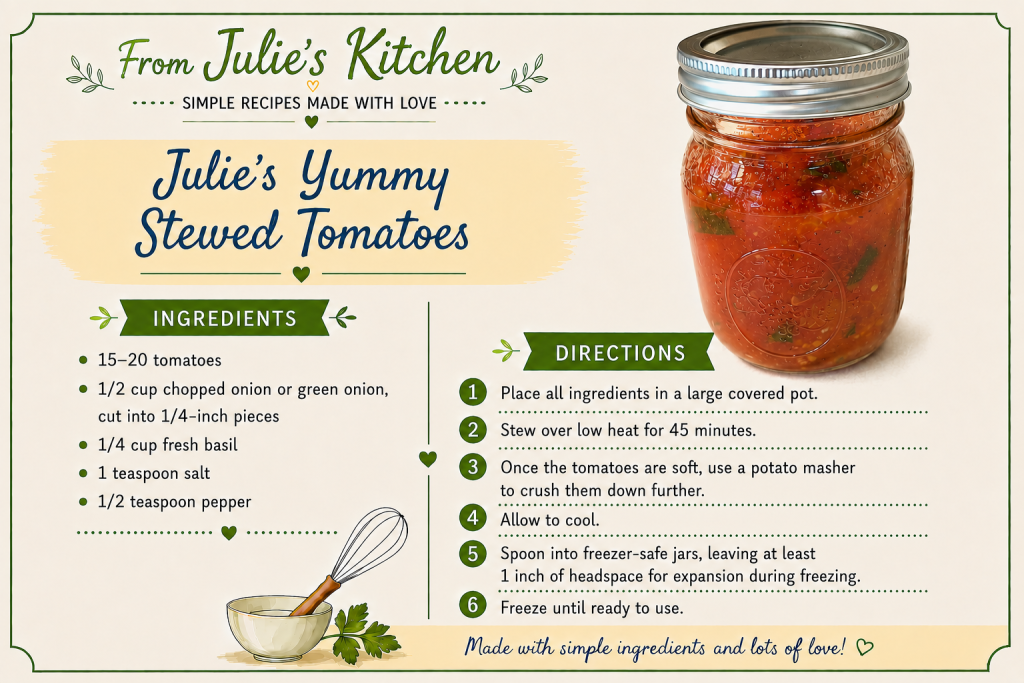
To save this recipe:
- Right-click on the recipe image.
- Select Save image as…
- Choose the folder where you’d like to save the image.
- If desired, rename the file.
- Click Save.
To print the recipe:
- Open the saved image.
- Press Ctrl + P (Windows) or Command + P (Mac).
- Select your printer and click Print.
Tip: Create a folder for Julie’s recipes so you can easily save, organize, and print your favorites anytime.